Accounts Receivable - Credit Card Fees on Payments
GrowPoint now allows credit card fees to be added to payments. Previously credit card fees and surcharges used to require quite about of creativity to be able to charge them, collect them, post them to general ledger without messing up something else. In the Summer of 2023 the ability to add a fee to a credit card payment became a reality in GrowPoint.
First We need to setup our Credit Card Payment Type. You are already familar with adding payment types and may already have a credit card type or two setup. The change requires us to identify the fee here.
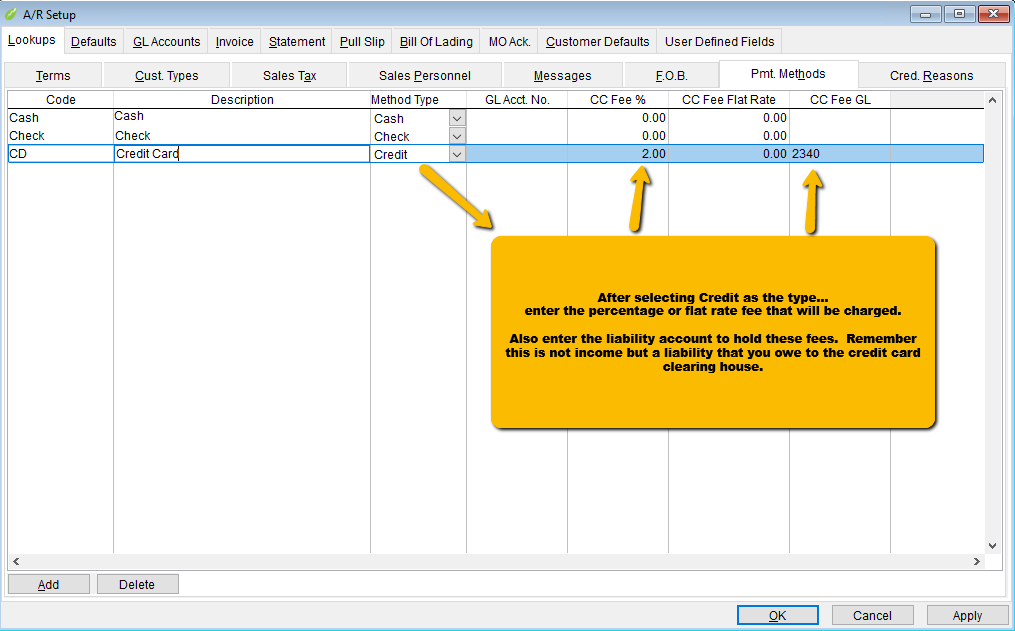
Enter the name of the payment type, choose 'Credit' as the type. Then enter the amount of the fee as either a percentage or flat rate then also give a gl account to hold this fee when you post the payment.
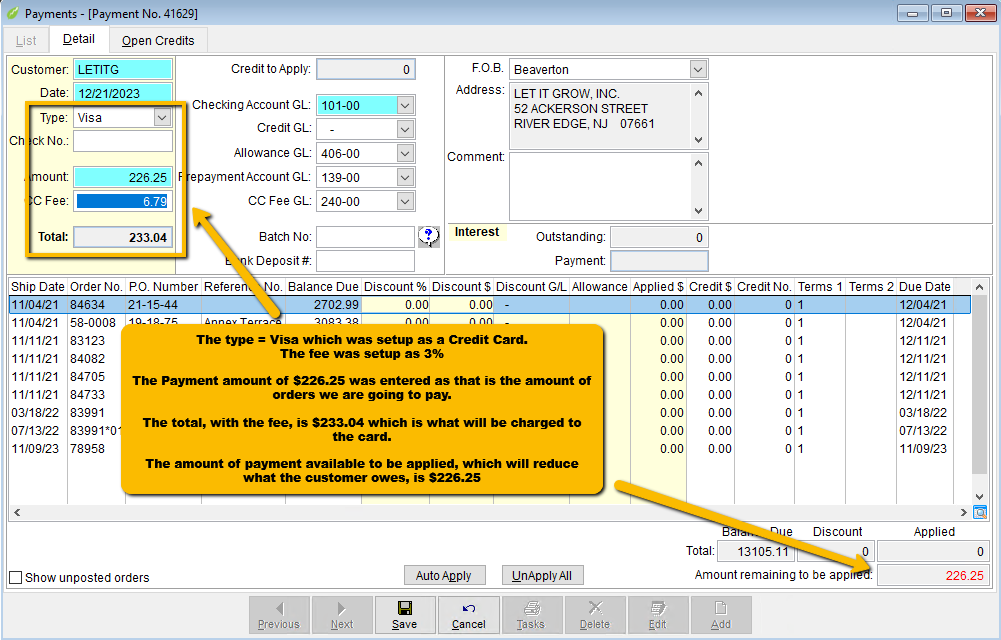
when you enter a payment and choose this payment type, an additional field will appear showing the fee. This fee will not be included in the amount of payment to apply to orders nor will it create a credit if all the payment is not used
For a payment of $100 with a $2.50 fee....... The payment amount will be $102.50, the applied amount will be $100. When posted the payment will update the General Ledger by debiting (adding) $102.50 to your checking account and will credit (reduce) the AR Aging account by $100. The remaining $2.50 will be credited (added) to your CC Fees liability account that you will debit later when you pay that bill.
The example below shows a $226.25 payment being made with a Visa that has a 3% fee.