Accounts Receivable - Sales Order Utilities
Have you ever noticed this button?
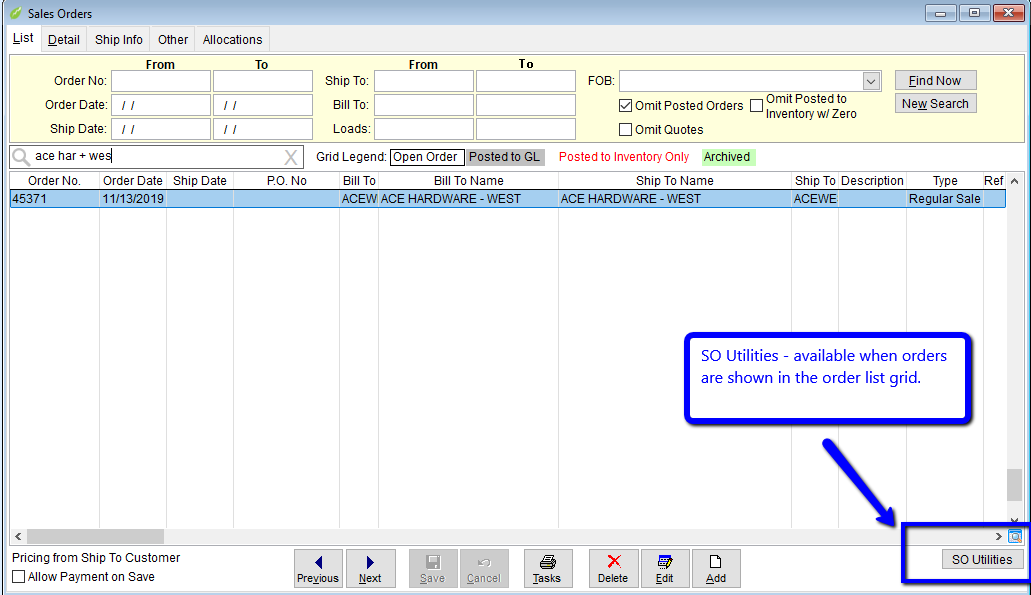
What is it? What does it do?
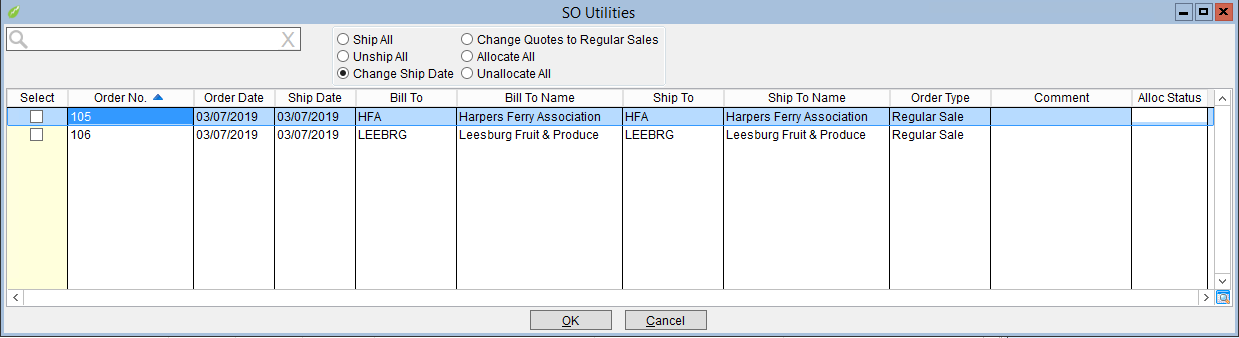
Sales Order Utilities is a form allowing six different actions to be performed on mutltiple orders at one time. Each of these tools is available on the invdividual Sales Order but sometimes you want to perform an action on many sales orders. The Utility grid makes it easier and faster to perform the action on more than one order at a time.
- Ship All - Performs the Ship All function found on the Sales Order for every selected order in this grid. You can ship every order in GrowPoint with this tool.
- Unship All - Allows you to unship every item on every order selected in the list.
- Change Ship Date - Will change the ship date of every selected sales order to the same date entered by the user.
- Change Quotes to Regular Sales Orders - Will change orders from Quote to Regular order, committ inventory and update availability.
-
 Introduced September 2020
 - Allocate All - Will perform the same function using the same rules as the Allocate All button on the sales order. Only for all the orders selected in the grid.
Allocate All will allocate orders in a first come first serve manner - allocations will process in Number order. Each order will be processed one at a time. The line items on the order will be allocated using the rules defined in AR Setup and rebuild inventory committed before starting the next order.
The allocation status will show in the 'Alloc Status' column.
- Good - Every item on the order has a valid allocation.
- Bad - At least one item on the order has a bad allocation.
- Some Items Not Allocated - At least one line item would not/could not allocate and is left unallocated.
- Not Allocated - None of the line items are allocated.
- Unallocate All - Same as Allocate all just in reverse.
- Sales Orders
- SKU Levels
- SKU Groups
Tips
The Utilities grid will open with every order currently in the Sales Order List.
Filter the Sales Order grid first. Prefiltering the list makes it easier to select the orders you want to change and makes it less likely you will accidentally make changes to orders you didn't want.
The only choice on this form that cannot be undone is the changing of Quotes to Regular. Pressed Ship All by accident - use the tool to unship all. Same for allocations and ship dates. Once an order is a Regular Sale you cannot change it back to a Quote.
-
Related Articles: