Item Load Factor
Load Factor
Assigning Load Factor
Load factor is a value assigned to each item to calculate shipping load totals for a Sales Order. The load factor is a consistent measure used to assign a space or weight factor to items. There is not a predetermined amount to enter into this field. Consider using cubic feet or liner feet as the factor. The total order load factor appears on the Ship Info tab of the Sales Order Screens as well as on the Pull Slip and Routing and Shipping Reports.
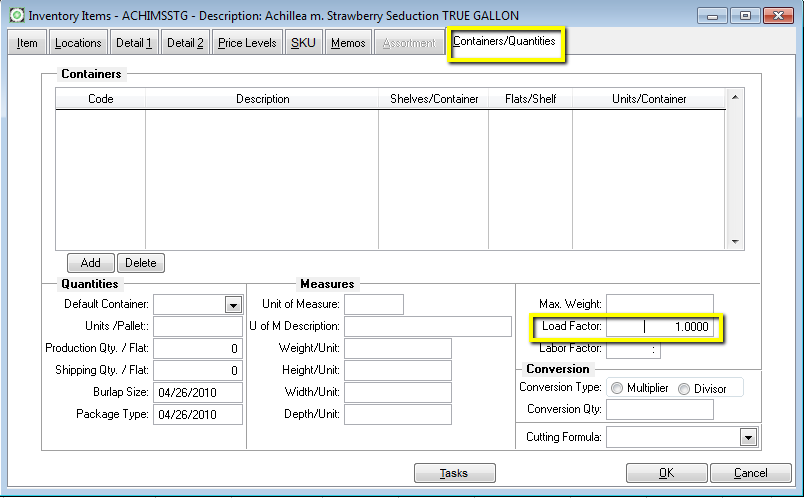
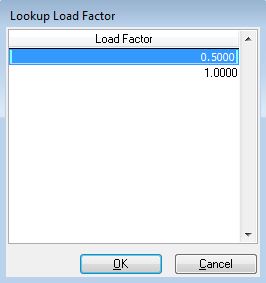
Load Factor is found on the Containers/Quantities tab. You do not need to enter any container information to use load factor. Just type in a value and click OK. Right Click in the Load Factor field to veiw a list of load factors already in use.
This list appears when right click in the Load Factor field.
Load Factor may also be assigned or maintained via Replace Item Defaults utility and the Mass Item Changer.
Using Load Factor
Sales Orders will calculate an order load factor by multiplying the item quantity by its load factor for each line item then summing the results. The Acknowledged quantity is used if nothing is shipped. If anything is shipped then the shipped quantity is used.
If you use Routing and Shipping, the order load factor is dispayed on the load screen and summed to determine a Load Factor for the entire route.
Assigning Load Factor to Sell Price
 July 2012
Load Factors may be applied to individual item prices allowing for items to have different load factors at different times of the year or for different dig methods. See Price Levels for more information.