Pull Orders (Part 1)
Description: Pull Orders Introduction
Pull Orders are designed to place allocations into the hands of the Inventory Control Manager (ICM). By selecting to use Pull Orders There are several modes to work in. The Sales Staff can allocate the Sales Orders normally and then return to correct any bad allocations later in the day by various search criteria offered on the Pull Order. The other option is to select the AR – Setup Option: No Allocating on Orders.

Once this option is set the Sales Order can no longer allocated. The sales staff only concern is too add items to the order. If this option is not toggled the sales staff can still allocate the Sales Orders.
The Pull Order screen can be found under, Activities – IN – Pull Orders. Once selected the following screen will load:
Orders can be selected from the Filter by drop down menu:
There are various filter options to search by Bill to, Load, Order Date, Order No., Route, and Ship Date. Once the Filter Option is selected the Find now button will bring in all Orders within the search criteria. Hover your mouse over the image above to see what happens when click Find.
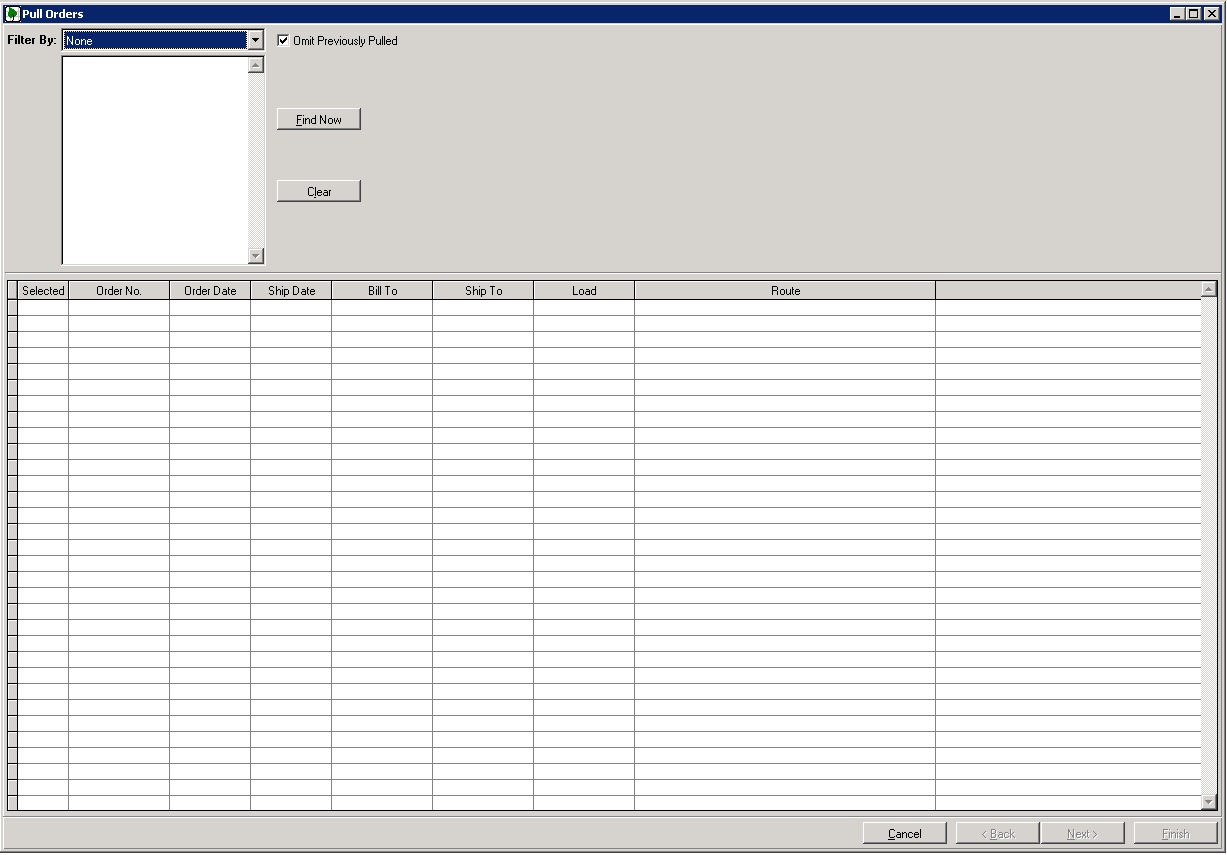
Using the Clear button will clear the screen to start again. The Orders in the grid can be selected and unselected on an individual basis. The Next and Finish buttons activate with Orders in the Grid. Selecting the Next Button will take change screens to the allocation screen.