Accounts Receivable - Refund Credits
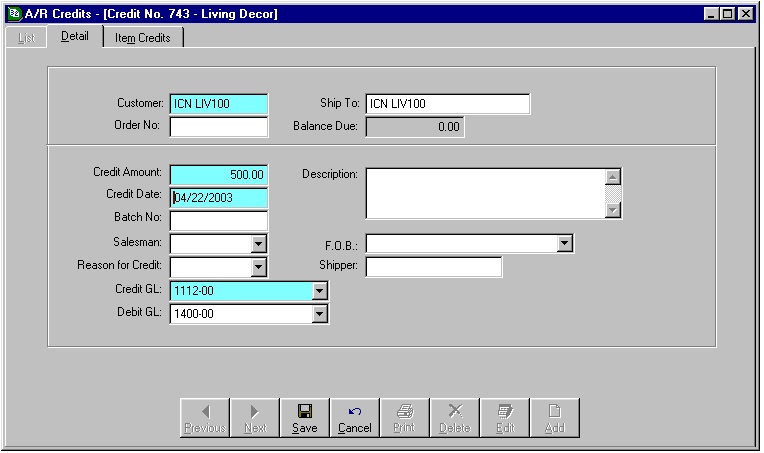
The original open credit credited the GL account 1112-00, which is Accounts Receivables; this defaults in from AR setup. The user must select the Debit GL. For this example I used 1400-00, which is Sales.

The Refund Open Credit memo uses the Credit GL of the Open Credit as the Debit GL of the refund. The Credit GL on the Refund Open Credit defaulted in from AR Setup as 1112-00, Accounts Receivable, but I have changed it for this example to be 1260-00, which is AP Clearing Account
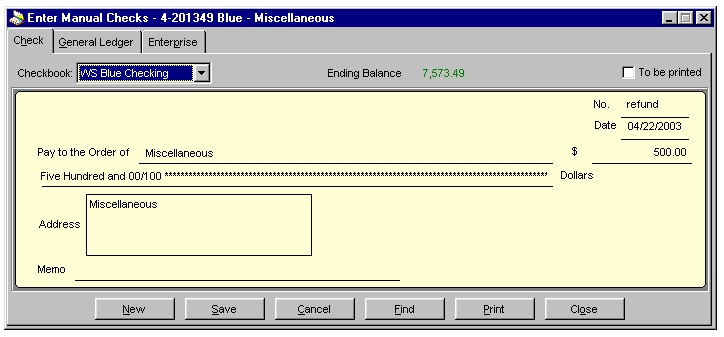
If you need to issue the customer a check you can now do it through AP. The Customer would need to be setup as a Vendor in AP in order for a check to be printed. The other option is to write a hand written check and then enter it into AP through Enter Manual Checks. I did not want to set my Customer up as a Vendor so I used a Miscellaneous Vendor I already had in AP Vendors. Write the check for the full refund amount, then click on the General Ledger tab.
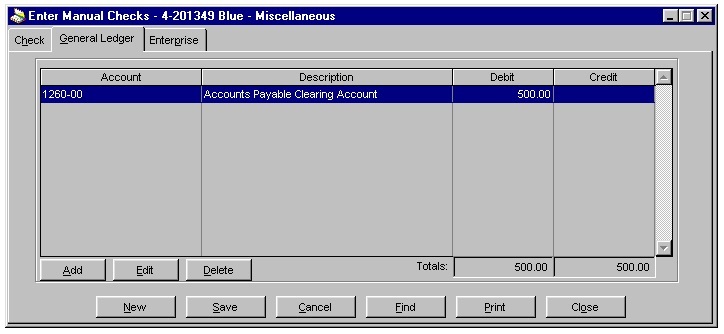
A General Ledger account will either need to be entered, or changed. The Debit GL account on the AP check should be the Credit GL account used on the Refund Open Credit. In this example I used 1260-00 (AP Clearing Account) as the Credit GL on the Refund OpenCredit, so it is the Debit GL account on the AP check.
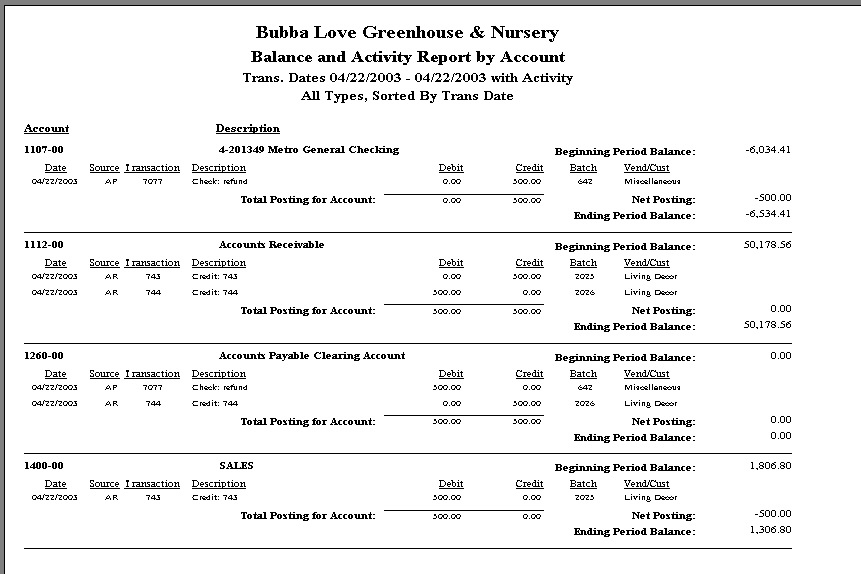
As shown above, once all the transactions have been posted, there is a Credit to the Checking Account and a Debit to Sales. The AR & AP Clearing Accounts are a wash with no net posting amount to them.
Related Articles