Cost Basis Codes
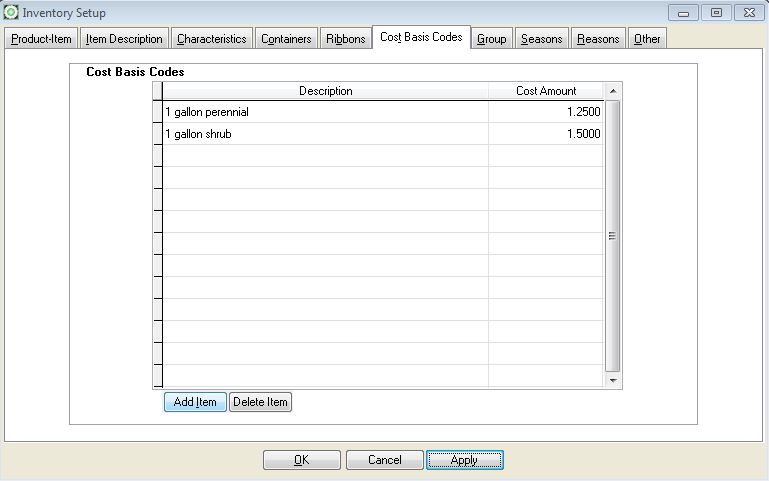
Tracking item cost with cost basis codes rather than cost average.
Growpoint provides two methods for assigning costs to inventory items. Each inventory item can have a cost directly assigned to it through the Cost field on the Inventory Item Details Form in the Inventory Products Screen. Item costs entered through the inventory screen are updated by the Purchase Order Module or through Inventory Adjustments and Transfers.
Optionally, you may create general costs called Cost Basis Codes and assign them to inventory items.As the item costs change from season to season, only the cost basis code needs to be adjusted and any item assigned with a Cost Basis Code automatically inherits the new cost.
Although there is no single best method for creating Cost Basis Codes, you may consider assigning similar items to the same cost basis code. For example, all 1-gallon perennials may be assigned the same cost.In cases where some 1-gallon perennials have a different cost then other 1-gallon perennials, create a different Cost Basis Code.
To add a Cost Basis Code, press the Add button. Enter a Cost Basis Description and Cost Amount. To continue adding additional record, press the <Down Arrow> key. To save the changes, press the Apply button.
- Related Articles:
- Products
- Replace Item Defaults
- Inventory Setup